|
Creating
a New Profile
 To
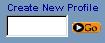
create a new profile, enter a name in the Create New Profile
entry field, and select the Go button, or press the <enter>
key. If the profile name is unused, then the profile will be created
and you will automatically start using that profile. To
create a new profile, enter a name in the Create New Profile
entry field, and select the Go button, or press the <enter>
key. If the profile name is unused, then the profile will be created
and you will automatically start using that profile.
Using
an existing Profile; Switching from one Profile to Another
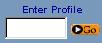 To start using an existing profile, enter the name of an existing
profile into the Enter Profile entry field, and select the
Go button, or press the <enter> key. If the profile
exists, then you will start using that profile.
To start using an existing profile, enter the name of an existing
profile into the Enter Profile entry field, and select the
Go button, or press the <enter> key. If the profile
exists, then you will start using that profile.
|